
Open enrollment ended two weeks ago, but your front desk lead just found a deduction that doesn't match her health plan election, a terminated medical assistant is still on the carrier invoice, and a remote scheduler is asking whether she's covered. That's benefits administration in HR at ground level. It's not choosing a carrier or setting a match. It's the daily work of enrolling the right people, starting and stopping deductions on the right dates, keeping leave balances and retirement contributions accurate, and answering questions in language staff can use. For medical practices, errors don't stay in HR. They show up in payroll, on carrier bills, in coverage disputes, and, when remote staff touch patient work, in your privacy controls. The fix is a repeatable cycle with named owners, reconciled records, and clear limits on who can see what data.
Benefits administration is setting up benefits, enrolling eligible employees, maintaining coverage and balances, handling employer and employee contributions, and reporting what happened. Plan design is different work. Choosing a health carrier or deciding a 401(k) match is strategy. Making sure the right person is enrolled, the deduction matches the election, and a termination is processed on time is administration.
The scale explains why small mistakes matter. The U.S. Bureau of Labor Statistics report for June 2025 put private-industry total compensation at $45.65 per hour, with benefits at $13.58 per hour, about 29.8% of the total. That average won't set your budget, but it shows why salary alone understates labor cost. If you're mapping categories before you build a compliant employee benefits package, separate each benefit's eligibility rule, payroll code, and vendor feed from the start.
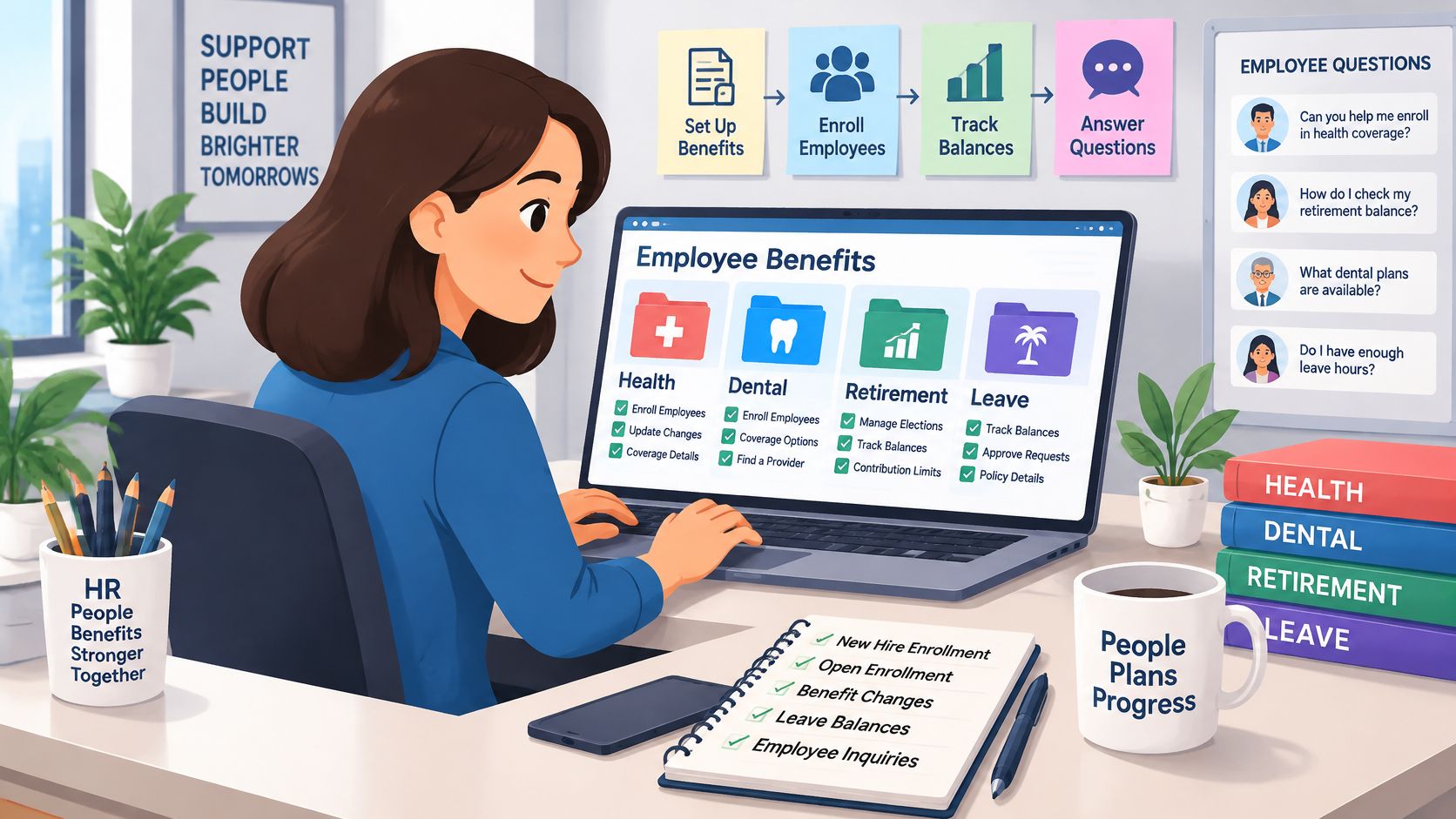
| Benefit category | Typical examples | Administrative work it creates |
|---|---|---|
| Paid leave | Vacation, sick time, holidays, parental leave | Accrual tracking, balance reporting, leave-of-absence coordination |
| Supplemental pay | Overtime, bonuses, shift differentials | Payroll coding and calculations that feed other benefit amounts |
| Insurance | Health, dental, vision, life and disability coverage | Enrollment, premium deductions, carrier reporting, life-event changes |
| Retirement and savings | 401(k) plans and other retirement or savings plans | Contribution limits, match formulas, plan reporting and vesting records |
| Legally required programs | Social Security, Medicare, unemployment insurance, workers' compensation | Payroll tax withholding, premium filings and state reporting, usually run through payroll |
Say a 12-provider orthopedic group has an office manager and one coordinator running health enrollment, PTO accruals, and the retirement match. Each category fails differently. A wrong hire date can delay insurance, distort a leave balance, and change a match calculation in the same pay period. Practices comparing employment models should read the detail behind full-time employment benefits and employer costs rather than comparing hourly wages alone. Legally required programs usually run through payroll, state rules vary, and you should confirm obligations with your payroll provider or counsel.
Start with eligibility, because every later step depends on it. Your plan documents and policies should state the hours threshold, employment types that qualify, the waiting period, and whether part-time, temporary, or contract staff are included. Write those rules into a one-page eligibility matrix your managers can check without interpreting a carrier contract. If two people can read the matrix and reach different answers, it isn't finished.
Location matters too. A receptionist in your office, a biller working from another state, and a contractor supporting authorizations may sit under different leave, tax, and insurance rules. Don't apply the home office rule by default. Record work location, employment classification, scheduled hours, and eligibility date in the same personnel record, then require HR approval before any of those fields changes.
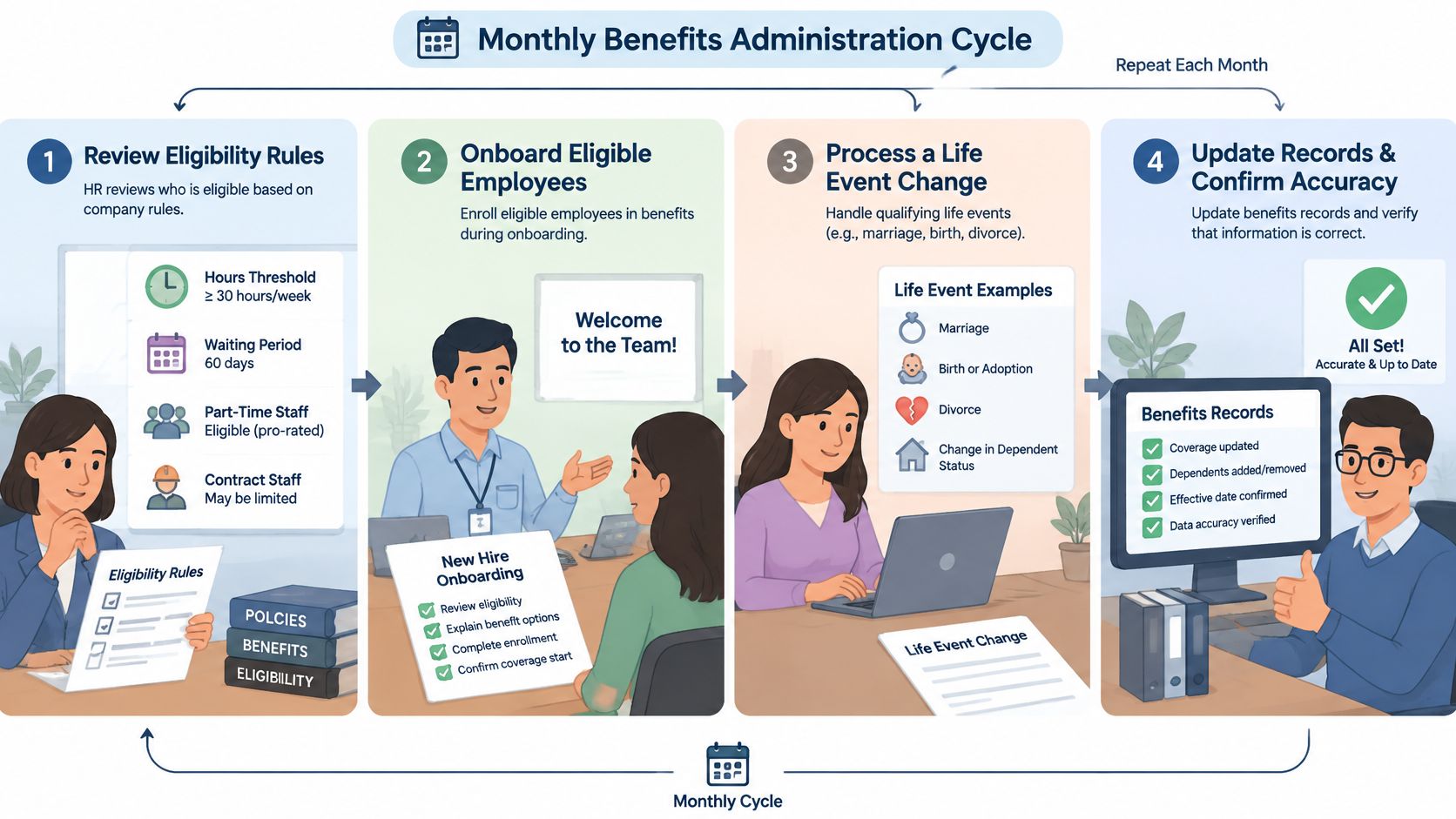
In an eight-provider family practice, a new hire's waiting period can end mid-pay-period. Coverage starts on the plan date, but the first deduction may land a cycle late unless payroll is warned in advance. Decide in writing whether you'll take a catch-up deduction, spread it, or absorb it under your policy, and tell the employee before payday.
Practical rule: Every eligibility date needs a named owner, a calendar trigger, and a payroll check. Memory is not a control.
Watch two exceptions closely. Part-time staff can cross an hours threshold mid-year after covering vacancies, which may change eligibility under your plan's measurement rules. Remote staff can move to another state and change the rules that apply to them. Require address and schedule changes to route through HR before payroll processes them, so benefits administration in HR isn't learning about eligibility changes from a carrier rejection.
Reconcile first, negotiate second. Most billing surprises come from records that drifted apart weeks earlier. One enrollment record should drive payroll deductions and carrier files, and you should compare three records at least monthly, the enrollment roster, payroll deductions, and the carrier invoice. Name, plan, tier, effective date, and premium should agree line by line.
A practice might receive an invoice billing for two former employees because last month's termination file was rejected and nobody cleared the error report. The fix requires a retroactive termination, and the carrier may allow it only within a set window. Miss that window and you're negotiating a credit you've already paid. Monthly reconciliation catches the rejected file while correction is still routine.
You'll usually deal with health and life carriers, a pharmacy benefit manager, a payroll provider, a benefits platform, a broker, and sometimes a third-party administrator. Each party sees a slice of the truth. The carrier knows who it will cover, payroll knows what it deducted, and your HR record knows who should be eligible. Administration is the work of keeping those three views identical.
For distributed teams, the same discipline applies across borders, and the workflow behind international benefits administration for remote employees shows why jurisdiction-specific rules can't be flattened into one global policy. Keep the local rule attached to the worker's record.
Good vendor management is written down. Get a named account contact, expected file turnaround times, a rule for who corrects errors, data-handling terms in the contract, and exit provisions covering how your records come back if you change vendors. Ask how rejected records are reported and how long retroactive corrections are accepted. Vague answers here predict slow fixes later.
Consolidating vendors reduces reconciliation points but can weaken negotiating power and make switching harder. Keeping several carriers preserves choice but multiplies feeds, logins, and invoice formats. I would choose fewer feeds for a small practice with one HR generalist, and accept more feeds only when plan choice clearly helps recruitment.
Build a vendor register today. List each data feed, its owner, its frequency, where errors appear, and the date it was last reconciled. Review it monthly. That single document tells a new practice manager where benefits data lives and which relationship needs attention.
Separate three layers before you act. Some duties come from law, some from your own plan documents, and some are recommended practices that reduce risk beyond the legal minimum. Mixing them up causes two errors. Practices either treat a recommendation as optional decoration, or they treat a vendor's marketing claim as a legal safeguard.
HIPAA's Privacy and Security Rules apply to covered entities and their business associates. Employment records you hold as an employer are generally excluded from the definition of protected health information, so a PTO balance or a payroll deduction record isn't PHI because a medical practice holds it. Patient-related information is different. A coordinator handling schedules, referrals, insurance verification, or patient messages is handling PHI, and the controls change accordingly.
The HHS guidance on business associates defines a business associate generally as a person or organization outside your workforce that performs functions involving the use or disclosure of individually identifiable health information, and it states that you generally must obtain satisfactory written assurances through a business associate agreement before allowing access. The agreement must describe permitted and required uses and disclosures, prohibit uses outside the agreement or applicable law, and require relevant Privacy Rule duties to be met.
Apply that distinction by task, not by job title. A virtual assistant who schedules visits and verifies insurance needs EHR access, so confirm the vendor arrangement, training, and account controls before access starts. A worker limited to internal payroll questions may never touch PHI. A worker who starts in payroll and later covers patient scheduling has crossed the line, so review the contract and permissions before the new duties begin. A staffing vendor isn't compliant merely because it supplies remote personnel.
Plan documents and summary plan descriptions set eligibility, enrollment windows, life-event deadlines, and termination rules. Follow the document you adopted, not the shortcut your team prefers. COBRA notices, Affordable Care Act reporting for applicable large employers, retirement plan filings, and state wage, leave, and insurance rules may also apply. They vary by employer size, plan type, state, and worker location, so confirm them with qualified counsel or a benefits compliance professional rather than copying another practice's checklist. A practical starting point is to work through a benefits compliance checklist for employers and mark each item as law, plan term, or internal policy.
Document the check, not just the outcome. Keep the plan version used, the notice sent, the date it was sent, and who approved an exception. If a former employee disputes a coverage end date, that file is your answer.
Treat these as recommendations, then adopt the ones that fit your risk. Use multifactor authentication, unique user accounts, least-privilege access, approved devices, restricted downloads, and prompt access removal when a worker leaves or changes roles. Limit EHR permissions to the minimum necessary for the assigned work. A scheduler doesn't need billing exports, and a biller doesn't need every clinical inbox.
No vendor can certify your practice as HIPAA compliant. HHS does not issue HIPAA certifications, so treat any claim of certification with skepticism and ask what safeguards and contract terms sit behind it.
End each vendor review with a practical test. Can you name who investigates a suspected disclosure, who preserves logs, who notifies leadership, and how quickly access is disabled? If not, the agreement may be signed while the operation is still unready.
A portal doesn't fix a confused employee or an unowned error. The Hartford employee benefits trends research found 79% of HR decision-makers still view employee education as a challenge and 68% report difficulty managing multiple benefits carriers. Separate research cited there reported employees' assessment of communication effectiveness trails employers' perception by 20 percentage points. The gap is the problem. Employers count messages sent, employees count whether they understood what to do.
The failure pattern is familiar in medical practices. Notices use carrier terminology, arrive once during a busy clinic week, and assume staff can visit an HR office. Questions after open enrollment go to whoever is nearby, so supervisors give inconsistent answers. Remote staff can't tell whether coverage started because the guide was written for local employees.
| Symptom | Likely cause | Fix |
|---|---|---|
| Employees miss enrollment deadlines | Notices use carrier terminology and arrive only once | Send plain-language notices through two channels, with reminders before each deadline |
| Benefit questions pile up after open enrollment | No named owner or written escalation path | Assign a primary contact and document when questions go to the carrier |
| Remote staff are unsure of their coverage | Guides assume local office access and English-only reading | Provide bilingual summaries and scheduled help sessions in their working hours |
| Errors continue after a new portal launch | Data ownership between HR, payroll and carriers was never mapped | Map each data field to one owner before configuring the tool |
Some fixes take an afternoon. Assign a named contact, publish office hours for benefits questions, and rewrite the enrollment notice around decisions and deadlines. Others take a quarter. Mapping field ownership across HR, payroll, leave, and carrier systems, then cleaning historical data, is project work.
Don't buy software to postpone the ownership conversation. Decide who owns an incorrect deduction, how fast an eligibility correction reaches each system, what happens after a life event, and how an employee gets help outside open enrollment. Assign one owner for each category of failure before you configure any new tool. Automation will then speed up a process that already works, instead of reproducing the same errors faster.
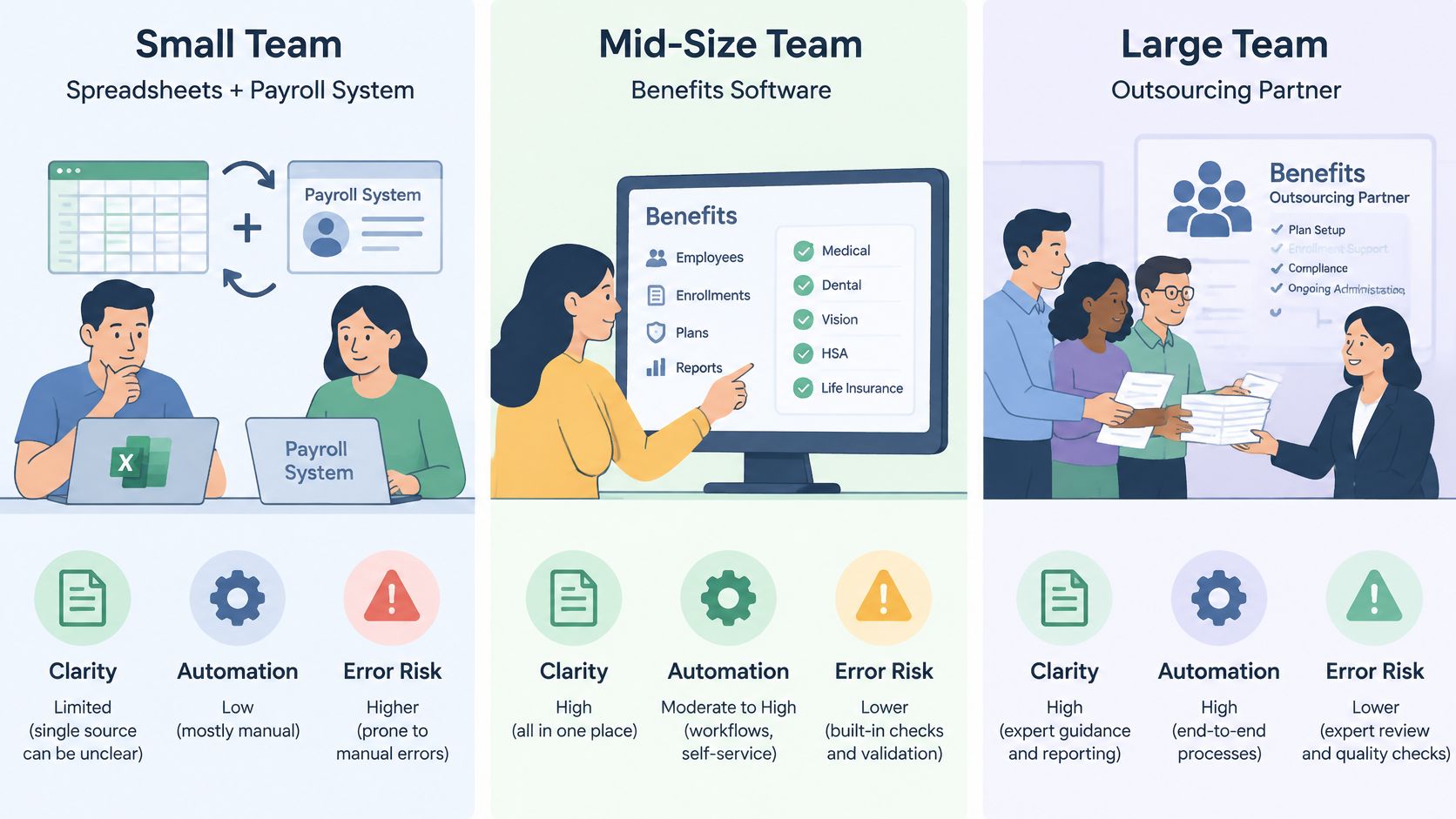
Choose the model by volume, complexity, and who can supervise it. Each option below works somewhere, and each fails when the practice outgrows its controls.
Spreadsheets with a payroll system suit very small teams with few plans and stable staff. The cost is low and control is direct. The weakness is manual rekeying. One changed termination date can ripple into deductions, leave balances, and carrier invoices, and there's no audit trail showing who changed it.
Standalone benefits administration software suits practices with several carriers and frequent life events. It can centralise elections and feed payroll and carriers, reducing duplicate entry. It needs integration work, licence budget, and someone who clears error reports. Software doesn't decide your eligibility rules, it enforces the rules you configure.
A professional employer organization bundles payroll and benefits under a co-employment arrangement. That can simplify administration and give a small practice access to larger plan structures. The tradeoff is shared control over plan design and some employment terms, so read the service agreement closely before assuming you can keep every current policy.
A benefits administration outsourcing vendor takes over enrollment, changes, and reconciliation under contract while you keep plan design and budget decisions. This helps when internal staff can't keep up with carrier files and notices. It adds ongoing fees and makes service levels critical, because employees will judge your practice by the vendor's answers.
A remote staffing partner, including LatHire, places administrative staff under your supervision through its hiring and employer-of-record support. In that model, sourcing the person doesn't outsource your benefits decisions. The work they may perform is limited by your contract, their role, and the access you grant.
| Model | Who performs the work | Practice control over data | Best fit | Main tradeoff |
|---|---|---|---|---|
| Spreadsheets and payroll system | Practice staff | Full | Very small teams with few plans | Manual error risk grows with headcount |
| Benefits administration software | Practice, with vendor support | High, if integrated | Several carriers and frequent changes | Integration work and licensing cost |
| Professional employer organization | PEO as co-employer for payroll and benefits | Shared | Practices wanting bundled HR services | Co-employment arrangement and less direct control over employment terms |
| Benefits administration outsourcing vendor | Outside administrator under contract | Shared, defined by the agreement | Groups with complex eligibility rules | Ongoing fees and dependence on vendor service levels |
| Remote staffing partner for admin roles | Partner-sourced staff under practice supervision | Practice sets access controls | Practices adding remote coordinators with structured onboarding | Does not transfer benefits or HIPAA responsibility |
Compare fully loaded cost, not wages alone. Include licences, vendor fees, employer contributions, payroll taxes, leave coverage, training, supervision, and the staff time spent fixing errors. A lower headline rate can disappear once reconciliation and rework are counted.
The central limitation applies to every vendor. The HHS business associate FAQ states covered entities must use written contracts that protect PHI while business associates are directly liable for certain HIPAA provisions, so a BAA doesn't transfer your entire HIPAA responsibility. Before signing, request a written service description, a data-flow diagram, and a sample reconciliation report. If a vendor can't show how an error is detected and corrected, don't rely on a sales demo.
High enrollment can hide a program employees can't use. A 2025 peer-reviewed study indexed by PubMed found 39% of companies never asked employees for feedback about health benefits, only 6% measured the time employees spent getting benefits questions answered, and fewer than 5% tracked whether employees postponed prescriptions or medical care because of cost. Participation and spending tell you what was offered. They don't tell you whether staff understood coverage or delayed care they needed.
Segment results by pay level, work location, employment status, and family situation only in groups large enough that individuals can't be identified. A remote coordinator in another state may face a thinner provider network than office staff, and a single practice-wide enrollment rate won't show it. Suppress small groups, report themes, and keep survey handling separate from managers who supervise respondents.
A benefit employees are enrolled in but cannot understand or afford to use is an operational failure, not a successful enrollment statistic.
Keep administration in-house with simple tools when headcount is small, plans are few, and changes are infrequent. Add dedicated software when several carriers and frequent life events strain spreadsheets. Consider outsourcing when internal staff can't maintain reconciliation and notice controls, or when remote staff span several states or countries.
Take a 20-person practice with two carriers and one remote coordinator. It may outgrow spreadsheets without needing a full outsourcing contract. Turnover, plan complexity, and who has time to supervise a vendor decide the answer. No model removes accountability. You still own employee outcomes, so measure them under every model.
Strong benefits administration in HR depends on accurate eligibility data, timely updates, reconciled records, and communication employees can act on. Small process errors can lead to payroll corrections, carrier disputes, or coverage problems. Set clear ownership first, then choose tools or outsourcing based on workload, plan complexity, and remote-staff access.
Start with the workflow: map enrollment, document eligibility rules, confirm BAAs and access controls when a vendor handles patient-related work, and track outcomes beyond enrollment. Assign an owner to each data feed and employee question category.
For remote administrative support, define the role, required systems, and data boundaries before hiring. LatHire lists administrative assistant and customer support roles.