
You're probably in one of two moods right now.
Either you've got a role that needed to go live yesterday, and you're still staring at a half-written job description that says “seeking dynamic self-starter” because your brain gave up at lunch. Or you've already tried an AI job description generator, got a painfully polished blob of corporate oatmeal back, and thought, great, now I have to rewrite the robot.
Both reactions are fair.
I've burned through enough hiring tools to know this much. An AI job description generator can save your team real time, clean up biased wording, and make a messy intake process less chaotic. It can also spit out generic nonsense, miss vital hiring context, and completely fall apart when the role crosses borders, time zones, or legal systems. Toot, toot.
The trick isn't finding a magic button. It's knowing what these tools are good at, where they fail, and how to prompt them so they produce a hiring asset instead of a fancy first draft you secretly hate.
The blank page is where hiring momentum goes to die.
A manager says, “We need a senior engineer.” Another says, “Make sure they're strategic but hands-on.” Someone from finance wants the scope tightened. Someone from product wants the scope broadened. Then the recruiter gets handed that soup and is expected to turn it into a clear, compelling post that attracts the right people and repels the wrong ones.
That's why these tools took off so fast. The global AI Job Description Generation market was valued at $324 million in 2024 and is projected to reach $2.1 billion by 2033, expanding at a 23.8% CAGR, according to Market Intelo's market report on AI job description generation. That's not startup-hype wallpaper. It reflects a very real shift in how hiring teams are trying to stop wasting time on first drafts.
Writing job descriptions from scratch sounds manageable until you do it repeatedly across engineering, design, sales, ops, and support.
Then the cracks show:
A job description isn't admin work. It's the first filter in your hiring funnel.
That's where AI helps. Not because it's brilliant. Because it's fast, patient, and weirdly willing to produce five drafts without complaining.
If you want a practical starting point for creating job descriptions with ChatGPT, that resource is useful because it pushes beyond “write me a JD” prompts and forces more structure into the input. And if you're still tightening your fundamentals, this guide on how to create job descriptions is worth a look before you hand the process to any tool.
Most AI job description generators are not miracle workers. They're draft accelerators.
That's still valuable. Starting from something mediocre is often better than starting from nothing. But only if you know how to edit for substance, not just tone.
A weak AI job description generator is basically Mad Libs wearing a blazer.
You give it “Senior Backend Engineer,” “Node.js,” and “remote,” and it spits back a template full of words like collaborate, utilize, and fast-paced. It looks tidy. It sounds professional. It tells good candidates almost nothing.
A better tool behaves less like a template and more like a junior research assistant. Not genius-level. Not strategic. But capable of organizing messy input into a usable structure.
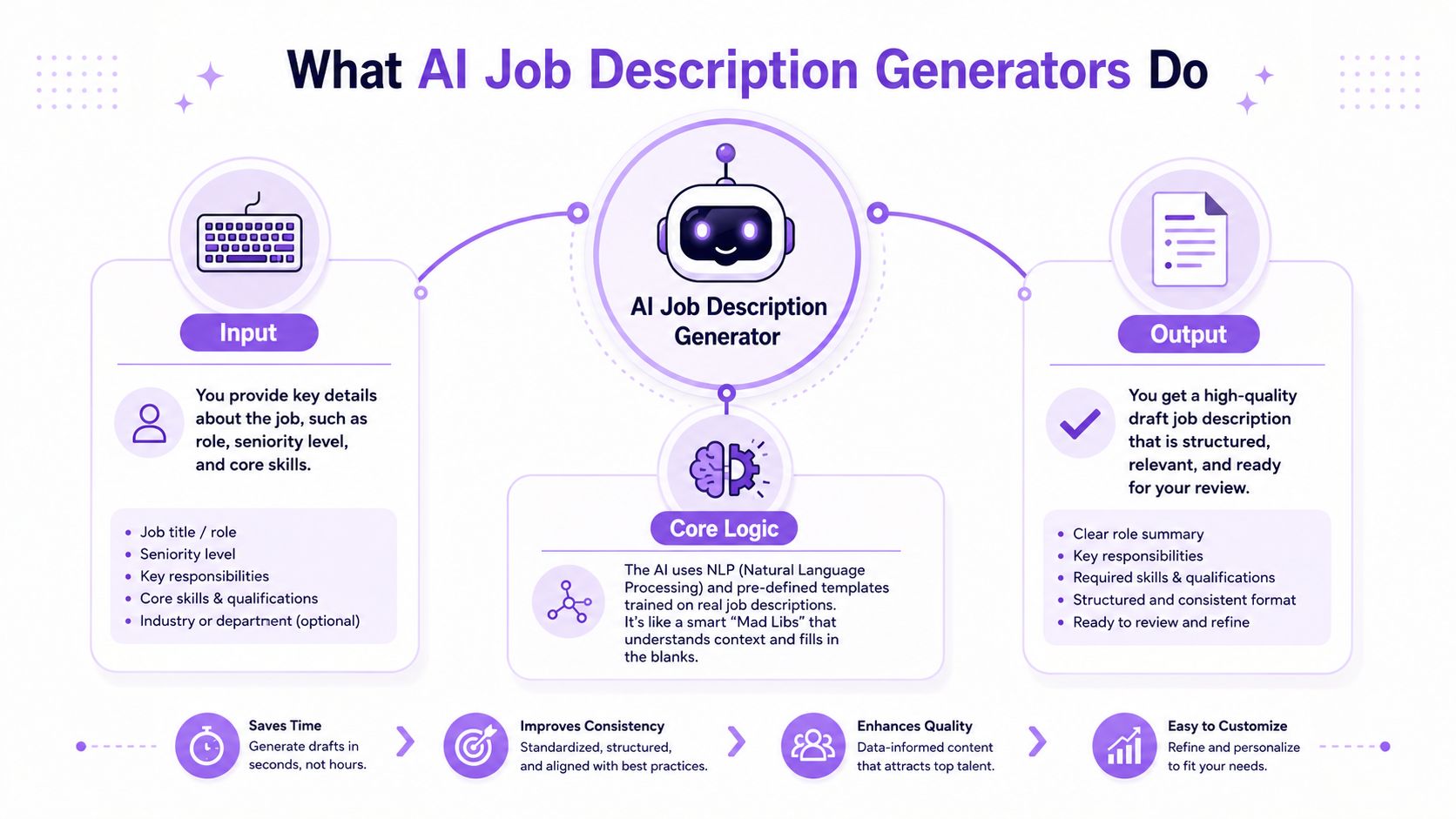
According to Harmate's overview of AI job descriptions, these tools use natural language processing (NLP) to analyze unstructured team input, extract technical and soft skills, and cross-reference them against market data to produce ATS-compliant documents in minutes.
In plain English, that means the system is trying to do three jobs at once:
Parse the mess
It takes scattered notes from hiring managers and identifies useful signals like seniority, required skills, scope, and role category.
Structure the draft
It places those signals into sections that hiring systems expect, such as responsibilities, qualifications, and role summary.
Normalize the language
It turns “needs to be good with people and maybe manage launches” into cleaner, more standardized hiring language.
The most useful tools aren't just filling blanks. They're pattern-matching.
If your input mentions Python, stakeholder management, mentoring, and distributed systems, the generator can infer a different role shape than if you mention campaign analytics, creative testing, and lifecycle email. It's not reading your mind. It's mapping your clues to patterns it has seen before.
That's helpful. It's also dangerous.
Practical rule: If your input is vague, the AI won't ask tough follow-up questions. It will confidently manufacture a generic answer.
That's why a lot of teams get underwhelming results and blame the tool. Fair enough. But often the actual issue is that they gave the system a title and three buzzwords, then expected a hiring strategy to pop out.
A usable draft should feel structured, specific, and easy to edit. It should not read like legal paste or brand-safe mush.
A quick gut-check helps:
| Signal | Weak output | Better output |
|---|---|---|
| Role clarity | Broad and fuzzy | Clear scope and seniority |
| Skill language | Keyword soup | Skills tied to actual work |
| ATS structure | Inconsistent sections | Clean headings recruiters expect |
| Readability | Dense corporate copy | Skimmable and candidate-friendly |
If you're comparing tools, don't just ask whether they “use AI.” That's table stakes now. Ask whether they help your team turn vague manager input into something clearer and more disciplined. For a wider look at the stack around this workflow, this roundup of AI-powered recruitment tools is a useful place to compare where a generator fits versus where it doesn't.
Let's give AI job description generators some credit before we roast them.
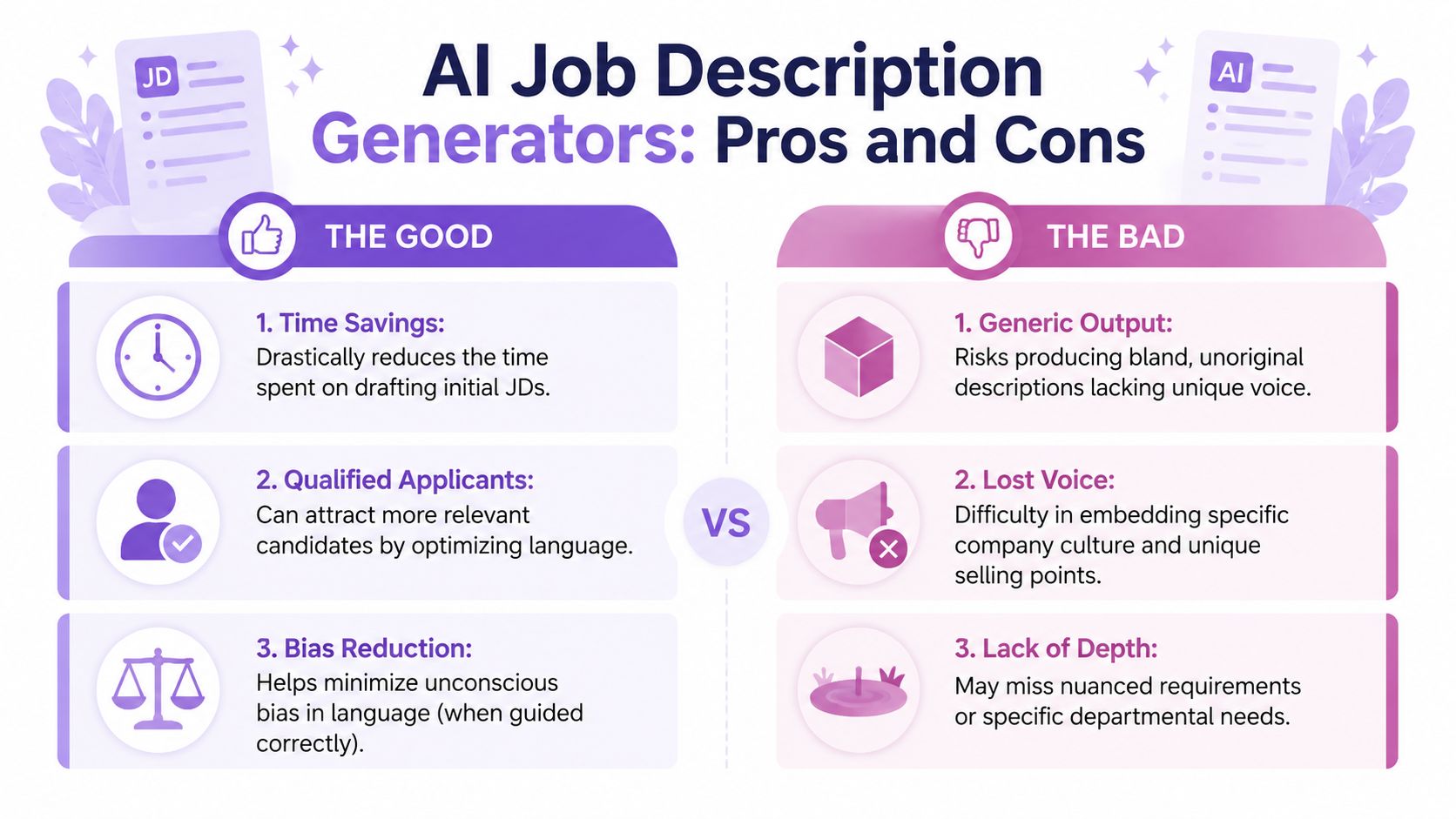
When they're used properly, they solve a real problem. They speed up drafting, help standardize language across teams, and clean out some of the biased wording that turns good candidates away. That's not cosmetic. According to Navero's review of AI JD generators, AI-generated job descriptions can increase qualified applications by 29% and attract 79% more qualified female candidates by systematically eliminating biased language.
That's the good part. It matters.
Hiring teams don't need help typing. They need help getting to a competent first draft without wasting half a day.
AI is good at that. It's also good at the repetitive cleanup work humans tend to rush through.
Now for the part the glossy landing pages skip.
Most outputs are boring. Not “could use a stronger hook” boring. I mean spiritually beige. The draft sounds competent, but it doesn't capture what makes the role hard, why the team exists, or what success looks like once the person is in the role.
Worse, generic generators tend to flatten nuance. Senior roles get reduced to laundry lists. Specialist roles get padded with buzzwords. Cross-functional roles become nonsense sandwiches.
If the JD could apply to twelve companies and six job titles with minor edits, the tool didn't help enough.
This is the biggest blind spot, especially if you're hiring in Latin America for a US or Canadian team.
A lot of AI job description generators are built around US and UK assumptions. They'll happily produce a polished draft while skipping the details that matter in cross-border hiring, like time-zone overlap, local employment expectations, compensation structure language, and compliance-sensitive wording.
That omission isn't small. It changes who applies and whether the eventual hire works out.
Here's where generic tools usually miss:
| Gap | What the AI often does | Why it hurts |
|---|---|---|
| Time-zone expectations | Leaves them vague or out entirely | Candidates self-select poorly |
| Employment context | Uses domestic assumptions | Creates confusion later |
| Localization | Writes in broadly Anglo hiring language | Misses regional nuance and clarity |
| Compliance framing | Skims legal context | Causes handoff pain to HR or payroll |
The result is a polished document that creates downstream mess. Candidates misunderstand the setup. Recruiters spend calls correcting assumptions. Hiring managers think the funnel is weak when the actual problem is the JD was built for the wrong labor context.
So, are AI job description generators worth using?
Yes, with supervision.
They're good at drafting, cleaning, and structuring. They're bad at judgment, nuance, and cross-border realism unless you force those details into the prompt. If you treat them like autopilot, you'll get bland copy and preventable hiring mistakes. If you treat them like an eager assistant who needs guardrails, they become useful fast.
Most bad output starts with a lazy prompt.
“Write me a JD for a senior software engineer” is not a prompt. It's a shrug. Then people act surprised when the AI returns a job post that sounds like it was assembled in an airport lounge by committee.
The fix is simple. Feed the model operating context, not just a title.
A strong AI job description generator needs to know what success looks like in the role. Not just what the person will do all day.
That distinction changes everything.
Task-based input creates task-based sludge:
Outcome-based input creates sharper hiring language:
That's a different level of draft quality.
According to Grammarly's guidance on AI job description generation, high-quality AI-generated job descriptions should land between 300 and 600 words and include specific context in the first 60 words. If the opening is generic, qualified applicant volume drops because the draft defaults into template mode.
That matches what good operators already know. Candidates scan first. They decide fast. If your opening paragraph says nothing, the rest of the document rarely gets a fair shot.
Open with the mission, the scope, and the kind of problems the person will own. Save the fluff for your careers page, if you must.
| Input Type | Weak Prompt (What to Avoid) | Strong Prompt (Use This Instead) |
|---|---|---|
| Basic role input | Write a JD for a Senior Product Designer | Write a 300 to 600 word JD for a Senior Product Designer at a B2B SaaS company. Focus on owning user flows for onboarding and billing, collaborating with PM and engineering, and improving activation. Use clear, direct language and avoid generic startup clichés. |
| Skills-only input | Create a job description for a marketer with SEO and email experience | Draft a candidate-facing JD for a growth marketer who will improve organic traffic quality and lifecycle email performance. Include required skills in SEO, email automation, copy testing, and analytics. Make the role sound practical, not flashy. |
| Cross-border role | Write a remote developer job post | Write a remote JD for a backend engineer working with a North American team and candidates in Latin America. State expected time-zone overlap, communication norms, async work expectations, and English collaboration requirements. Keep the language inclusive and specific. |
| Outcome-based role | List responsibilities for a DevOps engineer | Write a JD focused on outcomes for the first months in role. The hire should improve deployment reliability, reduce release friction, and document infrastructure workflows for a growing engineering team. Keep responsibilities tied to business outcomes, not generic duties. |
Use this structure when you want stronger drafts:
Role and level
Name the role, seniority, and who they report to.
Business context
Explain what the company does and what the team is trying to achieve.
First-win outcomes
Describe what success looks like early in the role.
Must-haves versus nice-to-haves
Keep these separate so the AI doesn't blend them into one intimidating blob.
Cross-border details if relevant
Include location expectations, time-zone overlap, communication language, and any employment context that matters.
Tone and exclusions
Tell the model what to avoid. Say no buzzwords, no “rockstar,” no filler about fast-paced environments.
If you're also helping candidates tailor materials around the roles you publish, this guide on best prompts to optimize resumes is one of the better examples of how precise prompting improves quality on the other side of the funnel too.
Write a job description between 300 and 600 words for a Senior Backend Engineer reporting to the VP of Engineering at a SaaS company serving mid-market clients. In the first part of the JD, explain that the role exists to improve API reliability, support product expansion, and reduce deployment friction for a distributed team. Include must-have skills in Node.js, system design, SQL, and cross-functional communication. Separate must-haves from nice-to-haves. Mention that candidates should overlap with North American working hours and collaborate in English. Use direct, inclusive language. Avoid clichés, generic benefits fluff, and vague verbs like “assist” or “help with.” Focus responsibilities on outcomes, not task lists.
That's not prompt engineering theatre. It's just giving the machine enough material to stop guessing.
A job description is the starting gun, not the race.
Teams get weirdly proud of generating a clean JD and then forget that the document still has to survive the rest of the hiring system. It has to pull in the right applicants, feed the ATS, support screening, and hold up once payroll, legal, and onboarding enter the chat.
That's where standalone generators start to show their limits.
A generator can produce decent copy. Fine. But what happens next?
If you're hiring across borders, the handoff from “posting written” to “candidate hired” is where a lot of teams faceplant. Existing AI job description generators often fail to address the legal and linguistic nuances for cross-border roles, a gap that causes 64% of remote hiring failures due to poorly defined contractual and compliance expectations, according to Typli's discussion of AI job description generator gaps.
That tracks with reality. The JD says “remote.” The candidate hears one thing. Payroll hears another. The manager expects overlap the post never spelled out. Everyone's annoyed, and none of it was necessary.
Once the JD exists, tie it to the rest of your workflow:
A polished JD that creates the wrong applicant pool is still a bad JD.
If your team is trying to understand the broader workflow around this, recruitment automation software gives a better picture than a writing tool alone because it connects drafting, screening, and operational follow-through.
There's another practical wrinkle. Candidates are also using AI.
They're optimizing resumes, rewriting summaries, and trying to survive applicant filters. That doesn't make the process fake. It just means your JD has to be clearer if you want better signal coming back. For a good candidate-side view of that reality, beating resume robots is worth reading.
The teams that win here don't obsess over whether AI belongs in hiring. That ship sailed. They make the JD, the screening logic, and the operational setup work together so the process doesn't collapse after the post goes live.
An AI job description generator should remove drudgery. That's the job.
It shouldn't decide who you hire. It shouldn't define the role better than your manager can. And it definitely shouldn't be trusted to handle cross-border nuance without adult supervision. That's how you end up with a beautiful post and a broken hiring process.
Use AI for the first draft, the cleanup pass, the structure, and the bias check. Then step in like a human who understands the business. Tighten the opening. Replace task soup with outcomes. Add the details that matter in the world, especially if the role spans countries, contracts, and time zones.
That's the difference between using AI like a shortcut and using it to maximize impact.
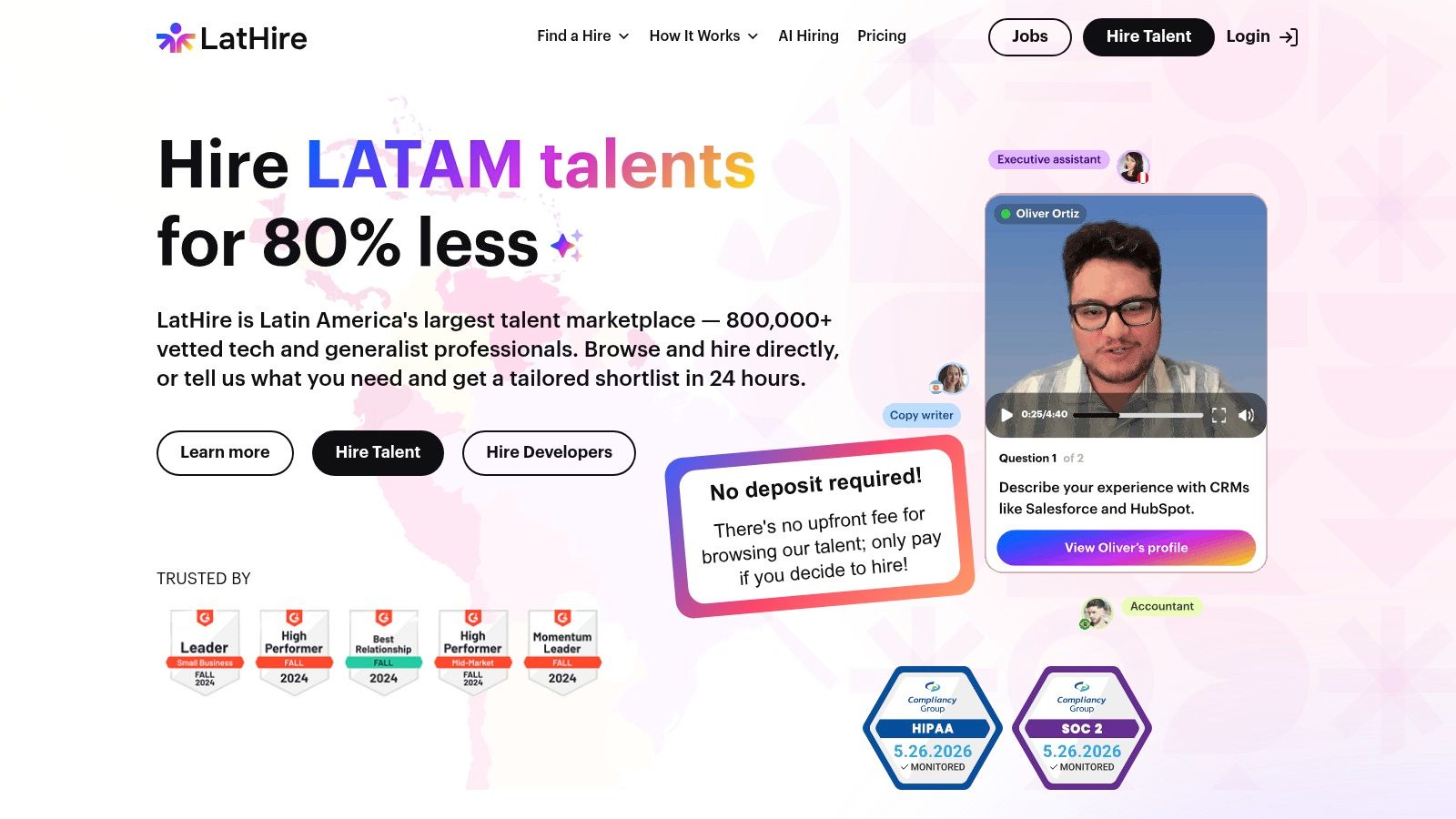
If you want the drafting piece connected to actual hiring execution, LatHire is built for that. You can generate or import a JD, match against pre-vetted Latin American talent, and handle the payroll, compliance, and cross-border admin that generic tools usually ignore. That's a much better setup than playing editor, recruiter, and accidental international HR department all at once.