
Let's be honest. Most UX interview questions are garbage. They’re recycled from a dozen other blog posts and tell you nothing about whether a candidate can actually design something people will use, or better yet, pay for. Hope you enjoy spending your afternoons fact-checking resumes and running fluffy interviews—because that’s now your full-time job if you keep asking the same tired questions.
After hiring dozens of designers (and making some expensive mistakes along the way), I’ve learned that vetting UX talent isn’t about design theory. It’s about finding people who solve real-world, messy problems under constraints. People who can defend their decisions with data, collaborate with engineers who say "that's impossible," and ultimately, ship products that don’t suck. Before diving in, it helps to know what you're even hiring for. A quick read of What Is User Experience Design sets the stage.
This isn't just another list. This is a battle-tested framework for digging past the polished portfolios and finding the designers who will actually move your business forward. We’re going to break down the ten categories of UX designer interview questions that separate the pretenders from the producers. Ready to hire someone who doesn't just make things pretty, but makes them work? Let's go.
Forget the brain teasers for a minute. The single most revealing part of any UX designer interview is the portfolio review. This isn't just a slideshow of pretty mockups; it's where the candidate has to walk you through their process, justify their decisions, and prove they can connect design to actual business results. Think of it as the ultimate "show, don't tell" exercise.

A great portfolio review moves beyond the final UI. It’s a story about navigating constraints, wrestling with ambiguous requirements, and using user research to pivot from a bad idea to a brilliant one. You’re not just hiring a pixel-pusher; you’re hiring a problem-solver. This is your chance to see how their brain really works.
To get the most out of this session, steer the conversation with targeted questions that peel back the layers of their work.
This approach is especially critical when you're hiring remotely. When you find talented remote designers from LatAm, a strong portfolio and a well-articulated case study prove they have the autonomy to thrive. It's the difference between a self-starter and someone you have to babysit.
If a candidate’s portfolio is their highlight reel, their research methodology is the behind-the-scenes documentary. This is where you separate the artists from the actual problem-solvers. A designer who can’t talk fluently about user research is like a chef who doesn’t taste their own food; they’re just guessing, and your product can’t afford guesswork.
Great designers don't just ask users what they want. They observe, analyze, and synthesize data to uncover the deep, unspoken needs that drive behavior. This part of the interview reveals whether they build products based on evidence or just their own good taste. You're probing for their ability to validate assumptions before a single line of code gets written.
Dig into their process with questions that force them to show their work and connect research to real-world design choices.
This is especially revealing for remote candidates. A designer who can confidently articulate their approach to asynchronous user interviews or remote usability testing demonstrates the proactive communication and resourcefulness needed to succeed without being in the same room. They deliver insights, not just pretty pictures.
If a portfolio shows what a designer can build, questions about Information Architecture (IA) and Interaction Design (IxD) reveal how they think. This is where you separate the artists from the architects. You’re looking for someone who can untangle a complex mess of information and organize it so intuitively that a user never even notices the underlying structure. It’s about building a solid foundation, not just painting the walls.
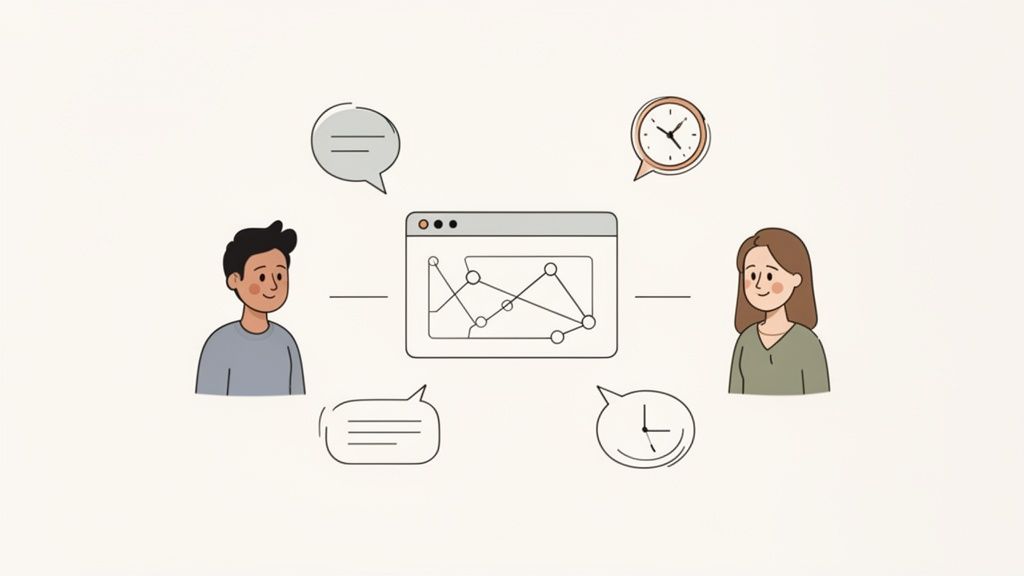
A great designer doesn’t just make things look good; they make them make sense. They obsess over creating logical pathways, clear navigation, and meaningful interactions that guide users effortlessly toward their goals. This is your chance to see if they can build a system that works, not just a screen that’s pretty. It’s the difference between a beautiful but confusing maze and a straightforward, functional product.
Probe their ability to structure chaos and design for human behavior. These questions cut to the core of their systematic thinking.
This line of questioning is vital for assessing a candidate's ability to think systematically—a non-negotiable trait for any product with more than a few screens. It’s how you find designers who create order from chaos.
Hiring a designer who can build a pretty one-off screen is easy. Hiring a designer who can build a scalable, consistent, and efficient system that empowers your entire organization is a game-changer. That's where questions about design systems come in. This isn't just about organizing colors and fonts; it's about strategic thinking, cross-functional collaboration, and creating a single source of truth that prevents your product from turning into a Frankenstein's monster of design debt.
A candidate's experience with design systems reveals their ability to think beyond a single feature. Can they create reusable components that work for dozens of use cases? Can they document their work so clearly that an engineer can implement it without a million follow-up questions? You're not just hiring for today's sprint; you're hiring someone to build a foundation for the next five years.
Probe their understanding of system-level thinking and the realities of maintaining a living product library.
This is make-or-break for remote teams. When you hire remote designers, their ability to create and maintain meticulous documentation is non-negotiable. It's the ultimate proof they can work asynchronously and keep distributed teams perfectly aligned.
In today’s world, a design that only looks good on a MacBook is a design that’s failed half its users. Asking about responsive design isn't just a technical check; it’s a test of the candidate's grasp of modern user behavior. You need to know if they can create experiences that are fluid and appropriate, whether on a tiny phone screen or a massive desktop monitor.
Great designers don't just shrink and stack elements for mobile. They fundamentally rethink the user's context and priorities on each platform. They understand that a user checking a dashboard on their phone needs different information front-and-center than someone analyzing data on a 4K display. This line of questioning reveals if they're a strategic systems-thinker or just a one-trick pony.
Probe their ability to think beyond a single canvas with questions that test their adaptability and technical awareness.
This is especially vital when evaluating global talent. When you hire skilled remote designers, their experience designing for diverse audiences with varying levels of internet bandwidth is a massive asset. It shows they can build inclusive, high-performing products that work for everyone, not just those with the latest iPhone and a fiber connection.
Hiring a designer who ignores accessibility isn't just bad ethics; it's a lawsuit waiting to happen. This line of questioning separates designers who see accessibility as a box-ticking chore from those who understand it's a fundamental part of good design. It's about proving they can create products for everyone, not just the "average" user.
Beyond legal compliance, an accessible product is simply a better product. Clear contrast, logical navigation, and understandable content benefit every single user, regardless of ability. Probing a candidate's knowledge here reveals their empathy, attention to detail, and ability to think systemically. You’re not just hiring for today’s requirements; you’re hiring for a more inclusive product tomorrow.
Dig into their practical experience to see if their commitment to inclusivity is more than just a LinkedIn buzzword.
This is especially vital for distributed teams. When you find talented remote designers from LatAm, their proven commitment to inclusive design shows they can build products for a global audience with diverse needs. It demonstrates a level of professional maturity that goes far beyond pixel-perfect mockups.
Great design rarely happens in a vacuum. A brilliant designer who can't convince an engineer of a feature's value or mediate conflicting stakeholder demands is ultimately useless. This line of questioning digs into a candidate's ability to work with product managers, developers, and executives to actually ship meaningful work. It’s where you separate the solo artist from the true team player.
You're hiring a user advocate, but also a diplomat and a negotiator. These ux designer interview questions reveal if they can champion user needs while respecting technical constraints and business goals. A designer who sees engineers as adversaries is a giant red flag. You need someone who views cross-functional tension as a creative opportunity, not a roadblock.
Probe their experiences with the human side of design. Your goal is to see if they can influence, persuade, and compromise without sacrificing the user experience.
Mastering the art of the interview is a core skill for any hiring manager; for a deeper dive, review these interview best practices for hiring managers. It shows you how to spot a candidate who not only designs well but communicates with precision.
The real world is messy, full of constraints, and requires designers to be resourceful MacGyvers, not just ivory-tower artists. This is where you separate the dreamers from the doers by testing their ability to deliver real value when the odds are stacked against them. You're looking for pragmatic creativity, not just pixel-perfect fantasies.
Any designer can build something beautiful with unlimited resources. The truly valuable ones are those who can ship an effective, user-friendly MVP in two weeks with zero research budget, using only analytics and competitive analysis. They find clever ways to solve problems without mortgaging the office ping-pong table, demonstrating a scrappiness that’s essential in fast-moving companies.
Present candidates with realistic, constraint-based design challenges to see how they operate under pressure. This is less about getting the "right" answer and more about observing their thought process.
To truly gauge a candidate's problem-solving under pressure, focus on situational questions. It’s not about hypotheticals; it’s about past performance. This guide on how to answer situational interview questions is useful for both sides of the table. Ultimately, this is the core of competency-based interviewing, which is how competency-based interviewing reveals a candidate’s true skills and helps you hire resourceful problem-solvers.
Let's be brutally honest: a beautiful design that can't be built is just an expensive JPEG. This is why probing a UX designer's technical literacy is non-negotiable. You’re not looking for a front-end developer in disguise, but you need someone who understands the physics of the digital world they’re designing for. Ignorance here leads to frustrated engineers, blown timelines, and scrapped features.
A technically literate designer speaks the same language as your engineering team. They understand that a slick animation might tank page load speed or that a certain data-heavy dashboard design will hammer an API. They don't just hand over a pretty picture; they hand over a thoughtful, feasible blueprint. This understanding is the bridge between a design concept and a functioning product.
Your goal is to gauge their curiosity and respect for the development process, not quiz them on JavaScript frameworks. These questions separate the theorists from the builders.
This is especially vital for remote teams. A key differentiator is a designer's proven ability to create development-friendly specs that leave no room for ambiguity. It demonstrates they can collaborate effectively with an engineering team thousands of miles away, turning design vision into functional code with minimal friction.
Aesthetics are great, but a design that doesn't move the needle is just expensive art. This line of questioning separates designers who create pretty pictures from those who build products that win. You need to know if your candidate can translate user behavior into numbers, and then use those numbers to make smarter, more defensible design choices. This is where you find out if they think like a business partner.
Data-driven design isn't about letting a spreadsheet dictate the layout. It's about using quantitative evidence to validate hypotheses, identify hidden friction points, and measure the real-world impact of their work. You're not looking for a data scientist, but you are looking for someone who isn't afraid to get their hands dirty with analytics to prove their design's worth. This is one of the most crucial sets of ux designer interview questions for senior and lead roles.
Probe their ability to connect their design work to measurable outcomes. You want to see if they can speak the language of impact and results.
This is especially vital for remote teams. When you source designers from a global talent pool, their ability to independently use analytics and clearly report on the impact of their work is non-negotiable. It shows they can operate with a high degree of autonomy and focus on delivering measurable business value, not just shipping mockups.
| Item | Implementation complexity | Resource requirements | Expected outcomes | Ideal use cases | Key advantages |
|---|---|---|---|---|---|
| Design Portfolio and Case Study Review | Low–Moderate (interview prep, deep questioning) | Low (portfolio materials, interviewer time) | Concrete evidence of skills; insight into process and impact | Hiring UX/UI roles; vetting independent work | Demonstrates real work, communication, tool proficiency |
| User Research and Discovery Methodology | Moderate–High (planning and executing studies) | Moderate–High (participants, tools, time) | Validated user insights that guide product decisions | Early discovery, feature validation, persona development | Data-driven understanding of users and needs |
| Information Architecture and Interaction Design | Moderate (structuring flows and prototypes) | Low–Moderate (prototyping tools, small tests) | Clear navigation and task flows; reduced friction | Content-heavy sites, dashboards, complex workflows | Improved findability, scalability, usability |
| Design Systems and Component Library Management | High (system-level thinking, governance) | High (time, tooling, cross-team coordination) | Consistent, scalable UI; faster implementation | Large products, multi-team organizations, enterprise | Efficiency, maintainability, stronger dev alignment |
| Responsive and Cross-Platform Design | Moderate–High (device considerations & patterns) | Moderate (device testing, prototyping across breakpoints) | Consistent experiences across devices; broader reach | Consumer products, e-commerce, global audiences | Mobile-first readiness; platform-aware designs |
| Accessibility and Inclusive Design Practices | Moderate (specialized knowledge and testing) | Moderate (tools, assistive tech testing, expertise) | Accessible, compliant products; improved usability for all | Public-facing services, regulated sectors, inclusive products | Reduces legal risk; expands addressable audience |
| Collaboration and Cross-Functional Communication | Low–Moderate (processes and soft skills) | Low–Moderate (documentation & async tools) | Aligned teams, smoother handoffs, faster decisions | Remote/distributed teams; cross-disciplinary projects | Better stakeholder buy-in; reduced friction |
| Problem-Solving and Creative Thinking Under Constraints | Low–Moderate (scenario-driven evaluation) | Low–Moderate (rapid prototyping resources) | Practical, deliverable solutions; rapid MVPs | Startups, resource-limited projects, tight timelines | Resourcefulness; ability to ship under constraints |
| Technical Knowledge and Development Understanding | Low–Moderate (technical literacy, communication) | Low (familiarity with dev tools and concepts) | Feasible designs with fewer implementation surprises | Engineering-heavy teams; close dev-designer collaboration | Smoother handoffs; implementation-aware design choices |
| Analytics, Metrics, and Data-Driven Decision Making | Moderate–High (tracking, analysis, experimentation) | Moderate–High (analytics tools, instrumentation, expertise) | Measurable impact; iterative optimization based on data | Growth teams, CRO, metric-driven product organizations | Evidence-based decisions; clear ROI for design work |
There you have it. A comprehensive playbook of UX designer interview questions that separates the pretenders from the genuine problem-solvers. We've moved beyond the generic "Tell me about yourself" and dived into the tactical questions that reveal true competence. This isn't about finding someone with a pixel-perfect Dribbble profile; it's about finding a strategic partner who thrives on complexity and turns user pain points into your next market advantage.
The goal was never to just give you a list. It was to arm you with a framework. A way to dissect a candidate’s thinking, challenge their assumptions, and see how they really perform under pressure. Because in the real world, design isn't a neat, linear process. It's messy, constrained by budgets and deadlines, and requires constant, clear communication with people who don’t speak the language of Figma.
If you walk away with anything, let it be these core principles:
Armed with this arsenal, you're ready to transform your hiring process from a guessing game into a strategic advantage. Here’s what to do next:
But let's be real: running this kind of rigorous, in-depth interview process for every single applicant is a full-time job. It’s a massive time sink, especially when you’re trying to scale. You have a business to run, not a recruitment agency.
This is where we give our own horn a little toot, toot.
At LatHire, we live and breathe this stuff. We've built our entire vetting process around these core competencies. We assess designers on their problem-solving frameworks, their async communication skills, and their ability to operate within the messy constraints of a real-world tech company. We’re not saying we’re perfect. Just more accurate more often.
Instead of you spending weeks sifting through portfolios and running interviews, you can tap into our pre-vetted network of elite UX talent from Latin America. They’re in your time zone, they’re proficient in the tools you already use, and they come at a fraction of the cost of a US-based equivalent.
Ready to skip the hiring headaches and get back to building something amazing? Your next game-changing designer is waiting.

