

Let's get one thing straight: most recruitment software is built to manage candidates you already have, not to find the great ones you don't. Your choice boils down to a simple question: are you solving a workflow problem or a talent sourcing problem? Get it wrong, and you've just bought yourself some expensive, color-coded busywork.
Turns out there’s more than one way to hire elite developers without mortgaging your office ping-pong table.

Let’s be honest, picking new recruitment software feels like walking into a trap. The demos all promise a hiring utopia, but the reality is often a clunky, overpriced system that just makes your job harder. You end up with a tool that either does too little, forcing you back to spreadsheets, or does way too much, burying your team in features they will never, ever use.
This guide is the direct, no-fluff conversation I wish I'd had years ago. It’s a comparison built on real-world pain points—what works, what’s a complete waste of money, and how to find a system that actually fits your company's stage and ambition. We’ll cut through the sales pitches and focus on what truly moves the needle on your hiring speed, candidate quality, and sanity.
The market is crowded, and it's easy to get lost in the noise. The global recruitment software market is on track to hit USD 3.3 billion by 2025, which means more vendors than ever are shouting for your attention. To help you get your bearings, here's my quick take on the major players and where they actually fit in the ecosystem. You can learn more about navigating this complex space in our guide to streamlining the recruitment process.
| Platform | Best For | Killer Feature | Watch Out For |
|---|---|---|---|
| Greenhouse | Enterprise & Scale-Ups | Highly structured, customizable workflows that enforce process consistency. | Can be rigid and overly complex for small, agile teams. |
| Lever | SMBs with High-Touch Hiring | A CRM-first approach that excels at nurturing candidate relationships. | Can get pricey as you scale, and reporting isn't as robust as Greenhouse. |
| Workable | Startups & Small Businesses | Excellent job board syndication gets your roles in front of many eyes, fast. | Less powerful for complex pipelines or deep candidate relationship management. |
| Ashby | Data-Driven Recruiting Teams | Best-in-class analytics and reporting for teams that live in their metrics. | Still a newer player, so integrations and features might lag behind the giants. |
This table gives you a starting point, but remember the real lesson here.
The fundamental flaw in most recruitment software comparison guides is they focus on feature checklists. A platform can have 100 features, but if it doesn't solve your core bottleneck—be it sourcing, vetting, or speed—it’s just an expensive distraction.
While we're focused on recruiting tools, smart decision-making often benefits from looking at broader software comparison methodologies. Seeing how experts evaluate complex tools in other fields can sharpen your own criteria. This guide is built on that very principle—moving beyond surface-level features to focus on real-world impact. Now, let's dive into what really matters.
Before we dive into a side-by-side software comparison, let’s talk about what really matters. Forget the flashy dashboards and endless feature lists you see in demos—those are shiny objects designed to distract you. After sitting through more pitches than I can count and implementing a few systems I’d rather forget, I’ve learned that most platforms fail in the same handful of ways.
These aren’t minor annoyances; they're the fundamental flaws that turn a promising investment into an expensive mistake. Think of them as the seven deadly sins of hiring software. Get these right, and you’re golden. Get them wrong, and you’ll find yourself paying for a system that creates more work than it saves.
The big lie: An Applicant Tracking System (ATS) is a sourcing tool. It’s not. An ATS is a database for managing candidates you find yourself. A great platform needs to do more than just sit there waiting for applications; it must actively help you find talent or at least automate the grunt work of sifting through resumes.
Most platforms offer weak sourcing tools—maybe a clunky LinkedIn integration or a job board feature that just blasts your opening into the void. That isn’t sourcing; it’s digital postering. You need to ask the hard questions: Does this tool actually find passive candidates? Can it automate outreach without sounding like a generic robot?
The painful truth is that most platforms are built for recruiters who already have a pipeline. They’re organizers, not finders. If your biggest problem is an empty pipeline, a traditional ATS is like buying a filing cabinet to solve a sales problem.
Next up is how platforms vet candidates. Most systems are still stuck in the dark ages of keyword matching. A resume says "Python," the job description says "Python," and ding!—we have a match. This is a recipe for disaster, leading to hours of wasted time interviewing people who are completely unqualified.
A modern platform has to go deeper. Can it assess actual skills? Can it verify technical proficiency before a candidate ever talks to a human? This is where the real innovation is happening. In fact, a major driver in the market is the adoption of AI-powered solutions for automated screening and intelligent sourcing to improve candidate matching. Discover more insights about the recruitment software market on Dialectica.io. Without this layer of intelligent vetting, your platform is just a glorified search bar.
Every founder knows that speed is a competitive advantage. A slow hiring process means losing top candidates to faster-moving competitors. Your software should be an accelerator, not an anchor.
Does it reduce administrative drag? Does it automate interview scheduling and follow-ups? Or does it just add more clicks, more tabs, and more process for the sake of "process"? If your hiring managers start complaining that the new tool is "slowing them down," you’ve chosen poorly. Exploring the right AI-powered recruitment tools can be the difference between hiring in days versus months. These are the pillars we’ll use to judge every platform. Let’s get to it.
Alright, let's get into the weeds. Enough with the theory—it's time to put the big names under the microscope using the criteria we just laid out. This isn't a feature list copied from their marketing sites. This is a pragmatic, no-nonsense breakdown of how these platforms actually perform in the wild when the pressure is on.
We're going to talk about the good, the bad, and the frustratingly complex. A tool that looks amazing in a 30-minute demo can quickly become your team's biggest bottleneck. Before we jump in, it's crucial to understand where most hiring processes break down. This infographic on the top hiring "sins" really puts it in perspective.
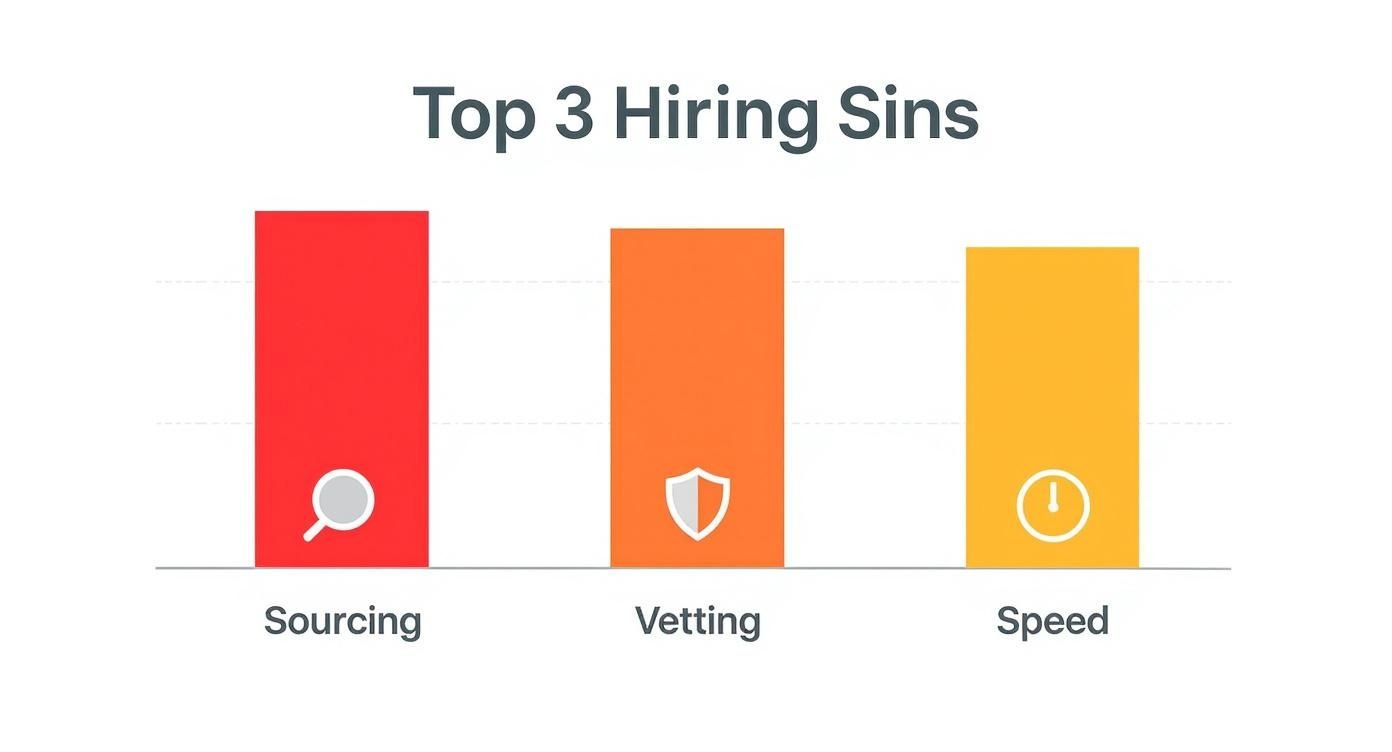
The data speaks for itself—most companies struggle with sourcing quality candidates and vetting them effectively, which directly kills their hiring speed. Keep that in mind as we evaluate how each platform tackles these core challenges.
To give you a quick, at-a-glance comparison, we've put together a scorecard. This table rates each platform against our key evaluation criteria, from sourcing muscle to the end-user experience. Think of it as a cheat sheet for spotting the strengths and weaknesses that matter most to your team.
| Platform | Sourcing & Automation | Candidate Vetting | Time-to-Hire Impact | True Cost | Compliance & Global Support | User Experience |
|---|---|---|---|---|---|---|
| Greenhouse | Good | Excellent | Fair | High | Excellent | Good |
| Lever | Excellent | Good | Excellent | High | Good | Excellent |
| Workable | Excellent | Fair | Excellent | Low | Fair | Good |
As you can see, there's no single "best" platform—it all comes down to trade-offs. Greenhouse nails process and vetting, Lever excels at relationships, and Workable wins on speed and sourcing volume. Let's dig into what that actually means for you.
Let's start with the beast: Greenhouse. If your company is scaling past 500 employees and your biggest problem is a lack of process, Greenhouse is your drill sergeant. It’s built for structure, compliance, and highly repeatable workflows.
Its power lies in its extreme customizability. You can build intricate, multi-stage interview plans with scorecards, approvals, and automated triggers that would make a project manager weep with joy. This is fantastic for enterprise-level consistency.
But for a startup or a small business, this strength becomes its greatest weakness. The setup is a beast, and its rigidity can feel like trying to steer a container ship when you need a speedboat. It's powerful, but that power comes at the cost of agility.
The Killer Feature: Structured Hiring. Greenhouse forces discipline on your hiring process, making it standardized and fair. It's the gold standard for reducing bias and ensuring every candidate gets the same thorough evaluation.
The Critical Flaw: The "Overkill" Factor. For a team that needs to be nimble, the endless configuration options and rigid stages create more friction than they solve. Hope you enjoy building workflows instead of talking to candidates.
Real-World Scenario: Hiring a Compliance Officer
For a role where process and documentation are everything, Greenhouse shines. You can build a bulletproof, multi-stage approval workflow that ensures every stakeholder signs off, every compliance check is ticked, and the entire process is auditable. It's built for exactly this kind of rigor.
Where Greenhouse is about process, Lever is all about people. It’s fundamentally a CRM with an ATS built on top, making it exceptional for nurturing relationships with candidates over the long term. If your strategy involves building talent pools and keeping passive candidates warm, Lever is your best friend.
Its interface is clean and intuitive, focusing on communication and collaboration. The Chrome extension for sourcing is a dream, and the whole platform feels designed to help you treat candidates like humans, not just entries in a database.
But this CRM-first approach has its downsides. The reporting and analytics, while improving, still don't hold a candle to the data-heavy platforms. If you're a metrics-obsessed leader who needs to track source-of-hire ROI down to the last penny, you might find Lever a bit shallow.
The Killer Feature: Candidate Nurturing. Lever makes it ridiculously easy to create email campaigns, set reminders, and maintain contact with promising candidates who aren't ready to move just yet. It's proactive recruiting at its best.
The Critical Flaw: Analytics Anemia. While you can get basic reports, digging deep into custom metrics or complex pipeline analysis is frustrating. It gives you the "what," but often struggles to provide the "why."
Real-World Scenario: Building a Remote Sales Team
You need to source and engage dozens of candidates continuously. Lever's CRM capabilities let you build a pipeline of sales talent, track every touchpoint, and send personalized follow-ups to keep your company top-of-mind. It’s perfect for high-touch, relationship-driven hiring.
Workable is the get-it-done tool for small businesses and startups that need to get roles live yesterday. Its main claim to fame is its incredible job board syndication. With one click, you can blast your job posting to hundreds of free and premium boards, generating a flood of applicants almost instantly.
The platform is straightforward, affordable, and easy to set up. There’s no month-long implementation process; you can sign up and be posting jobs within an hour. It also has solid built-in features for basic assessments and video interviews.
The trade-off? It's not built for complexity. Once you start hiring for multiple departments with different processes, or if you need to manage a deep talent pool, Workable starts to feel less like a powerful tool and more like a simple inbox manager. Its candidate vetting capabilities, in particular, are quite basic. To truly understand a candidate's abilities, you'll need to supplement its features by learning more about robust pre-employment skills testing methodologies.
The Killer Feature: One-Click Job Syndication. Nothing else on the market gets your job in front of as many eyeballs, as quickly, as Workable. For roles where volume is the name of the game, it's a huge time-saver.
The Critical Flaw: Scalability Ceiling. It’s fantastic for your first 20 hires. For your next 200? Not so much. The platform lacks the sophisticated workflow management and deep relationship-building tools needed for high-growth companies.
Real-World Scenario: Hiring 5 Engineers in 3 Months
As a startup, you need to move fast. Workable gets your roles live everywhere instantly, helping you fill the top of your funnel. Its simple, no-fuss interface means your lean team can manage applicants and schedule interviews without getting bogged down in complex software. It prioritizes speed and volume above all else.
A great tool for a Fortune 500 company is a terrible, soul-crushing one for a startup. And yet, most recruitment software guides act like everyone's playing the same game. That’s nonsense. The right platform depends entirely on your company’s DNA—your size, speed, budget, and most importantly, your biggest hiring bottleneck.
Stop looking for the "best" software and start looking for the best fit. Buying an enterprise-grade system when you’re a 10-person team is like trying to crack a nut with a sledgehammer. It’s expensive, clumsy, and you’ll probably just make a mess. Let's ditch the one-size-fits-all advice and get real about what you actually need.
You’re a startup. Your budget is tight, your team is small, and your biggest priority is speed. You don't have time for a system with a thousand-page user manual and a six-week implementation. You need something that works right now and doesn't require you to mortgage the office ping-pong table.
Your focus should be on platforms that deliver 80% of the value for 20% of the cost. Forget complex analytics and multi-stage approval workflows. Your game is getting job postings in front of as many qualified eyes as possible and moving candidates through the pipeline before your competitors can even schedule a first call.
What to prioritize:
A common startup mistake is over-investing in a "scalable" platform too early. The reality is, the needs of a 15-person company are worlds away from a 150-person one. Solve today's problems today.
You’ve found product-market fit and now you’re growing—fast. Spreadsheets are breaking, your hiring process is pure chaos, and you need to scale without hiring an army of recruiters. This is where process becomes your friend, not your enemy. But you still need to stay agile.
You’re looking for that sweet spot between startup scrappiness and enterprise rigidity. Your ideal platform should bring structure to the chaos without strangling your ability to move quickly. You’re not just managing applicants anymore; you’re building a talent pipeline.
Your focus shifts to:
Agencies play a completely different sport. You're not hiring for one company; you're juggling multiple clients, each with their own unique roles, processes, and pipelines. Your world is all about managing complexity and keeping clients in the loop.
Your software needs to be a multi-tenant command center, not a single-company ATS. It has to keep client data completely separate while allowing your team to work efficiently across all your accounts.
Must-have features include:
Choosing the right tool is about matching its philosophy to your business reality. Don't get distracted by features you don't need—focus on the platform that solves your most immediate and painful hiring problems.
Let's be honest. After years of struggling with platforms that were almost right, we realized the whole recruitment software game was focused on the wrong problem. The issue wasn't just managing applicants; it was the soul-crushing, time-devouring task of finding and verifying elite global talent in the first place.
Toot, toot! Yes, we built our own thing. LatHire exists because we were tired of the compromises. We needed a platform laser-focused on one massive, unsolved problem: hiring pre-vetted, cross-border professionals without the usual chaos.
Most platforms are, at their core, Applicant Tracking Systems. They’re fantastic for organizing candidates you find. But that’s like buying a great set of kitchen knives when you have no ingredients. LatHire is the farm and the grocery store—we solve the sourcing problem before it even starts.
The traditional ATS model is completely reactive. You post a job, cross your fingers, and then use the software to manage the flood of (mostly unqualified) resumes. It’s a workflow tool. Hope you enjoy spending your afternoons fact-checking resumes and running technical interviews—because that’s now your full-time job.
We flipped that model on its head. Our focus isn't on helping you manage your pipeline; it's on filling it with technically validated talent so you don't have to.
Our AI doesn't just match keywords on a resume. It conducts technical assessments, validates skills, and screens for timezone alignment before a candidate profile ever hits your dashboard. We deliver interview-ready talent, not a mountain of resumes to sift through.
Hiring internationally introduces a whole new level of complexity that most software simply ignores. It’s not just about finding someone in a different country; it’s about the compliance, payroll, and legal maze that comes with it. For companies exploring global talent pools, a solid understanding immigration law is paramount, but it's only one piece of the puzzle.
LatHire was built from the ground up to handle this mess. We manage the intricacies of international payroll, benefits, and local labor laws so you can focus on one thing: hiring the best person for the job, regardless of their zip code.
So, if your biggest headache is managing inbound applicants from local job boards, one of the tools we compared earlier is probably your best bet. But if your real challenge is finding and reliably vetting top-tier international talent without the operational nightmare, that’s the specific pain we solve. We’re not saying we’re perfect—just obsessed with fixing the hardest part of hiring.
So, you’ve done the hard work of comparing recruitment software, you’ve picked a winner, and now you’re ready to make the leap. Just the thought of it is enough to trigger a mild panic attack. Migrating systems feels like trying to perform open-heart surgery on your hiring process while it’s still running.
But it doesn’t have to be a catastrophe. A chaotic migration isn't a technical failure; it's a planning failure. With the right strategy, you can make the switch feel like the genuine upgrade it's supposed to be, not a self-inflicted wound. Think of this less as a technical manual and more as your guide to a sane, successful transition.
Before you even touch a line of data, you need to run a brutally honest audit of your current setup. What’s actually broken? Don’t just make a list of features you hate—pinpoint the specific bottlenecks that are actively costing you time, money, and talent.
Is your time-to-hire glacial? Are hiring managers completely ignoring the platform you pay for? Get granular. The real problem might be a clunky UI, a total lack of automation, or reporting so bad it's useless. Knowing what you're truly solving for is the only way to avoid buying a new set of the same old problems.
Your Audit Checklist:
This is where most platform migrations go completely off the rails. Don’t just nod along when the salesperson cheerfully says, "Oh yeah, we can migrate all your data." You need to dig in with the precision of a surgeon, because a botched data transfer can cripple your team with bad information for months.
Ask the hard questions before you sign anything. This is your chance to spot the red flags that signal a painful implementation ahead. If their answers are vague, evasive, or dismissive, that’s your cue to run.
The Red Flag Warning: If the sales team can't give you a clear, step-by-step explanation of how your specific data—candidate notes, interview scorecards, email history—will be mapped to their new system, they're hiding something. Vague promises of an "easy import" almost always translate to a CSV export-import nightmare that you’re left to clean up.
Finally, resist the powerful urge to flip the switch for everyone at once. A "big bang" launch is a surefire recipe for chaos, confusion, and a team that immediately resents the new tool you worked so hard to pick. Instead, go for a phased rollout.
Start small. Pick a single, tech-savvy team or a specific department to be your guinea pigs. They'll uncover the inevitable bugs, identify gaps in your training plan, and, most importantly, become your internal champions for the new system. This approach turns a high-stakes, all-or-nothing launch into a series of manageable, low-risk steps. It builds momentum and ensures that by the time you go company-wide, the process is smooth and your team is ready for it.
We get it. After a dozen demos, every platform starts to look the same. Here are the straight-shooting answers to a few common questions we hear from founders and hiring managers trying to navigate the recruitment software maze.
No fluff, no sales pitch—just direct advice from people who’ve been in the trenches.
Think of it like this: an Applicant Tracking System (ATS) is for managing people who have already applied. It’s a reactive tool, a database for organizing the inbound flow of candidates. It’s all about process, compliance, and moving applicants from stage A to stage B. Basically, it's the digital filing cabinet for your active hiring funnel.
A Candidate Relationship Management (CRM) system, on the other hand, is for building a bench of talent before you even have a job opening. It’s proactive. You use it to nurture relationships with passive candidates—the ones who aren’t actively looking but might be perfect for a role six months from now.
So, do you need both? If you're constantly hiring for similar roles, a CRM is your secret weapon for building a talent pipeline. If you're just managing a few job postings at a time, a solid ATS is all you need.
This is the classic "how long is a piece of string?" question. But let’s cut through the noise with a pragmatic breakdown.
The biggest mistake is buying a system for the company you want to be in five years. Buy for the company you are today. You can always switch platforms—and as we've covered, it doesn't have to be a nightmare.
Trying to run your entire hiring process on LinkedIn Recruiter is like trying to build a house with only a hammer. It's a fantastic tool for one specific job—sourcing passive candidates on a single platform—but it’s not a complete hiring system.
It has no real workflow automation, poor collaboration features for your internal team, and zero capability to manage candidates who apply through your website or other job boards.
It’s a fantastic sourcing supplement, but it will quickly turn into a chaotic mess of spreadsheets and lost emails if you try to use it as your central command center. Think of it as a powerful top-of-funnel tool, not the entire funnel itself.

