

A job requisition is the formal, internal document you create to get permission to hire someone. Let's be blunt: it’s not the fun part. It’s not the job description or the flashy job ad; it’s the business case you have to build to justify the headcount and prove you have the budget. Think of it as your official permission slip from the people who hold the purse strings.
Alright, let’s cut the HR jargon. A job requisition isn’t just another form to fill out—it’s the official, internal green light that kicks off the entire hiring marathon. I’ve seen more good ideas die waiting for a signature on one of these than anywhere else.
Forget the public-facing job ad for a minute. This is the behind-the-scenes document that makes the case for why a role is needed, how much it will cost, and who needs to sign off on it before you can even dream of sourcing candidates.
It’s your strategic justification, budget approval, and permission slip all rolled into one. Getting it right saves you from endless, soul-crushing back-and-forth with the finance team. Getting it wrong means your best hire remains a ghost.
So, what’s the actual point of a job requisition? Simple. It’s about internal alignment and control. Before you can send a single InMail, the requisition forces you to answer a few critical questions that most of us would rather skip:
This formal request is also a critical metric for tracking hiring intent. Fun fact: while the total job volume in the U.S. recently dipped by 5.8%, the number of job requisitions is holding steady. This tells us companies are still planning to hire—they’re just being more strategic and, let’s be honest, more paranoid about it.
Okay, let's clear this up, because this is where a lot of hiring managers trip over their own feet. Confusing a job requisition with a job description is like mixing up the architectural blueprint for a house with the glossy real estate listing. They're related, but they serve completely different purposes for entirely different audiences.
A job requisition is the internal authorization form. It's the "pretty please with a spreadsheet on top" you send to finance and leadership to get permission to spend money. It’s all about the business case—headcount, budget codes, salary range, and the cold, hard justification for why this role even needs to exist.
A job description, on the other hand, is the external-facing marketing document. It’s the "what you'll do" pitch designed to get talented people excited enough to click "apply." Its audience is the candidate, not your CFO.
And the job posting? That’s just the ad you splash across LinkedIn hoping to catch someone’s eye.
Getting this wrong isn't just a matter of semantics; it’s a workflow killer. If you send a fluffy, candidate-focused job description to your finance team asking for approval, you'll get a polite but firm "no." Why? Because you've given them none of the information they actually need.
You’re asking them to approve a major budget item without the financial details. To get that green light, you need the requisition first. It justifies the need, defines the budget, and secures the signatures.
This infographic breaks down what a requisition handles before a job description ever sees the light of day.
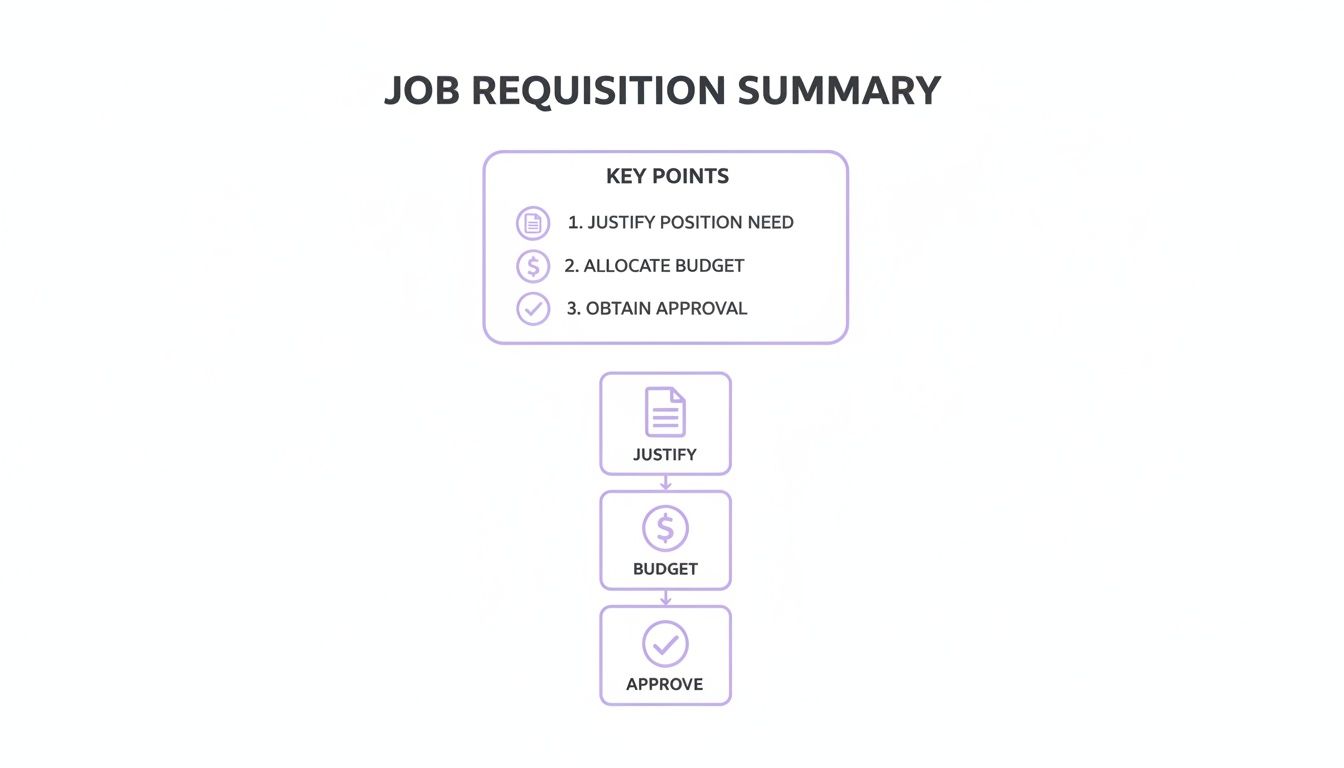
Each of these steps—justification, budgeting, and approval—is a non-negotiable internal checkpoint that a simple job description completely sidesteps.
To make it even clearer, here's a quick cheat sheet.
| Document | Purpose | Audience | Key Content |
|---|---|---|---|
| Job Requisition | To gain internal approval and allocate budget for a new hire. | Internal (Finance, HR, Leadership) | Requisition ID, budget code, salary range, justification for the role, headcount approval. |
| Job Description | To detail the responsibilities, qualifications, and expectations for a role. | External (Candidates) | Role summary, daily duties, required skills, reporting structure, company culture. |
| Job Posting | To advertise an open position and attract applicants. | External (General public on job boards) | A summarized, engaging version of the job description, plus company branding and a call-to-action. |
Ultimately, you can't have one without the other, and they have to happen in the right order.
Think of it this way:
The requisition is the internal handshake that secures the money. The job description is the external handshake that invites candidates to the party.
Mastering how to create job descriptions that perfectly align with an approved requisition is the secret to a hiring process that doesn't make you want to pull your hair out.
A weak job requisition gets stuck in approval purgatory. A strong one sails through, getting you the sign-off you need to start the real work. So, what’s inside a requisition that gets an instant nod from finance?
It’s about more than a job title. This is your internal sales pitch, and you need to arm it with enough data to make saying "no" look foolish. Think of it as the dossier that justifies the investment.
Your goal is to preemptively answer every skeptical question your CFO might have. A bulletproof requisition isn't just about what you need; it's about proving why you need it. Let's break down the non-negotiables.
"We need more help" is not a business case. A winning justification sounds like this: "Hiring a Senior Backend Engineer will allow us to ship the new billing system, projected to increase Q4 revenue by 8%."
That's the kind of language that gets checks signed. It turns a cost into an investment.
Once your requisition is airtight, the next step is translating it into a public-facing ad. Understanding how to properly write and post job ads is key—it ensures your internal justification matches your public pitch.
So, you’ve crafted the perfect job requisition. Nice work. Now comes the fun part: getting it through the internal approval labyrinth.
Think of it as a gauntlet. Your request goes from your desk to your manager, detours through HR for a compliance check, and finally lands on the finance team’s desk for the final thumbs-up. Each step is a potential black hole where your urgent hire can get stuck for weeks.
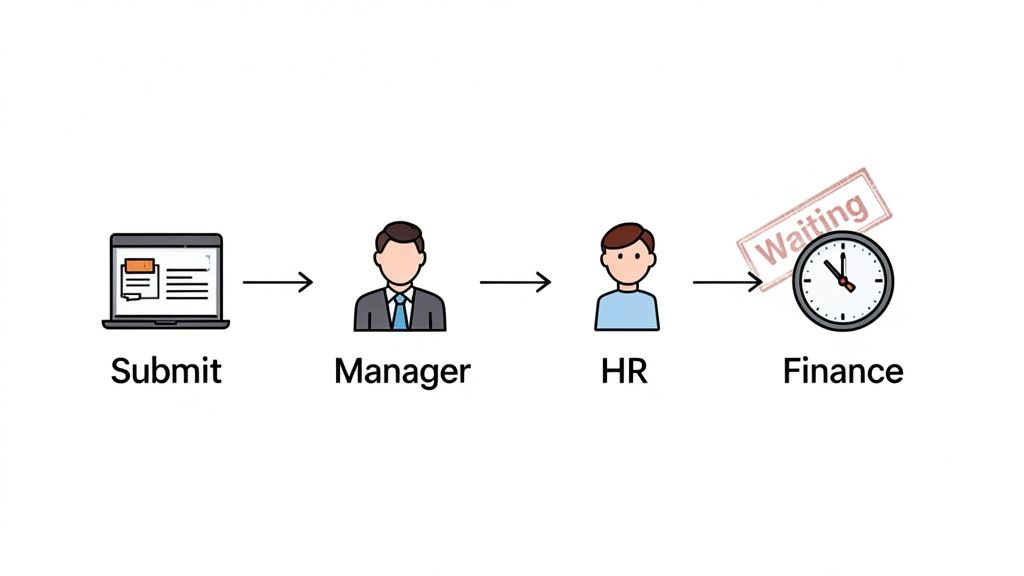
This internal shuffle is a big reason why the average time to hire often stretches to a painful 40 to 42 days. Companies are scrutinizing every new headcount like it’s the last dollar they’ll ever spend.
Want to get your requisition approved faster? Don’t just lob the form over the fence and hope for the best. You need to build a rock-solid case before it even enters the workflow.
Here’s how to grease the wheels:
For bigger orgs, developing a strategy for managing high-volume requisitions is key to keeping things moving. Otherwise, you're just stuck in traffic.
The goal isn’t just to fill out a form. It's to build such a compelling business case that approval becomes a formality, not a fight.
When you do the political legwork upfront, you’re not just submitting a request—you’re personally escorting it across the finish line. For more tips on cutting the fat from your timeline, check out our guide to reduce time to hire.
So you poured your heart into a job requisition, hit submit, and waited. And waited. Then, the dreaded email lands: “Rejected.” Let’s talk about the rookie mistakes that get your beautifully crafted request kicked right back to you.
The biggest offender? A flimsy justification. “We’re swamped” isn’t a business case; it’s a cry for help. Finance doesn’t approve cries for help. They approve investments with a clear ROI. If you can't connect the role directly to revenue, cost savings, or a critical company goal, you’ve already lost.
Another classic is a salary range that’s completely detached from reality. Guessing what a role should pay without checking market data is a surefire way to get shot down. Your CFO has access to compensation benchmarks, and if your numbers look like you pulled them out of thin air, they’ll shut it down without a second thought.
Beyond those two killers, a few other tripwires will send your requisition back to the drawing board. Don't be that person.
Ultimately, a rejected requisition isn't just an administrative setback. It’s a sign of a weak business case.
This isn’t about pointing fingers; it’s about learning from the trenches. Nail the justification, do your salary homework, and sweat the small stuff. It’s the difference between hiring and just hoping.
So, you got the requisition approved. Pop the champagne. Now the real clock starts ticking, and that average 42-day time-to-hire feels like an eternity. Hope you enjoy spending your afternoons fact-checking resumes and running technical interviews—because that’s now your full-time job.
The old playbook of posting a job and praying is a recipe for disaster. You wait for weeks, only to get a trickle of candidates who are "meh" at best. The bottleneck isn't your process; it’s a shallow local talent pool.

This is where a global approach completely changes the game. Modern requisitions reflect a major shift, with companies hunting for specific, high-value skills in areas like cybersecurity and engineering where talent shortages are rampant. Companies are getting laser-focused on who they need, a trend you can see in recent job market trend reports.
And that’s where we come in. (Toot, toot!) Platforms like LatHire connect you directly to a massive, pre-vetted pool of elite talent in Latin America who are ready to work in your time zone. Instead of waiting for mediocre applicants to find you, you can find qualified pros in days.
Turns out there’s more than one way to hire elite developers without mortgaging your office ping-pong table.
Let's wrap up with a quick-fire round to tackle the usual questions. No fluff, just straight answers from someone who's made all the mistakes already.
Think of a job req like a carton of milk—it has an expiration date. Most companies set a shelf life of around 90 days.
If you haven't filled the role by then, the requisition often expires, and you’re back at square one, begging for re-approval. It feels like a bureaucratic nightmare, but it's a good thing. This prevents old, forgotten "ghost jobs" from clogging up the system and ensures budgets stay aligned with what the company actually needs today.
Absolutely. And it stings every single time. A sudden budget freeze, a shift in company strategy, or a surprise reorg can kill a fully approved requisition overnight.
It’s a brutal reality of business. This is why you need to move with urgency once you get that green light. Don't let a perfectly good approval gather dust.
The hiring manager. No question. They’re the ones who will live with the new hire, so they have the deepest understanding of what's needed and why. They own the "why."
HR usually steps in as a guide and partner, helping shepherd the req through the internal maze. They make sure all the i's are dotted and t's are crossed, but the initial push has to come from the manager on the ground.